
Introduction
Executing a successful fundraising system implementation requires a step-by-step technical and strategic roadmap, not just a software license. The landscape of non-profit technology has shifted from simple payment processors to sophisticated ecosystems. Today, fundraising software drives organizational growth, donor retention, and mission scalability.
Streamline your software evaluation process
With the global non-profit software market projected to surpass USD 6.5 billion by the end of 2026, the pressure on Development Directors and CTOs to modernize is immense. While historical data showed that cloud deployments now account for over 61% of the market, recent 2026 industry insights indicate cloud adoption has accelerated past 75%. This signals a permanent move away from clunky on-premise solutions toward agile, scalable SaaS platforms.
However, selecting the software is only the first step. A failed rollout results in "shelfware"—expensive tools that sit unused—and the loss of critical historical donor data. To prevent this, organizations need a detailed fundraising platform walkthrough and a rigorous change management strategy prior to launch. A well-executed implementation revolutionizes your ability to engage donors and demonstrate "Return on Mission."
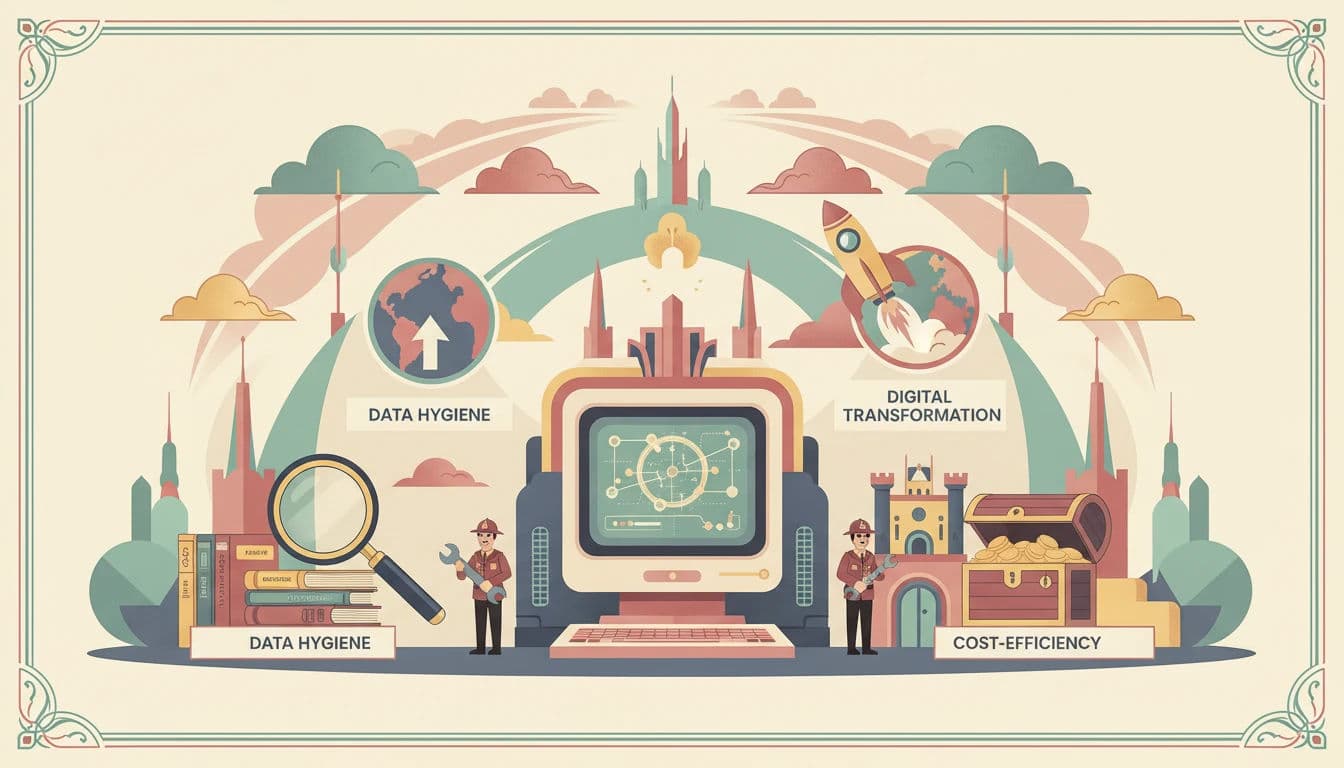
This guide provides a comprehensive, how-to roadmap for executing your fundraising system implementation effectively. We will move beyond generic advice to provide a practical fundraising platform walkthrough using industry-leading tools like Raisely, Zeffy, and Care2. From pre-implementation data hygiene to post-launch ROI analysis, this is your blueprint for digital transformation.
💡 Key Takeaways
Clean data is the foundation: Audit and normalize legacy data before migration — never carry bad data into a new system.
Align configuration with strategy: Customize platforms (like Raisely) to match donor journeys instead of forcing generic defaults.
Maximize ROI with fee structures: Use zero‑fee models (such as Zeffy) so every donor dollar supports your mission directly.
Connect advocacy to fundraising: Integrate tools (like Care2) to convert campaign supporters into recurring donors seamlessly.
Prioritize change management: Dedicate time and training to ensure user adoption and overcome internal resistance.
Leading Non-Profit Solutions to Know
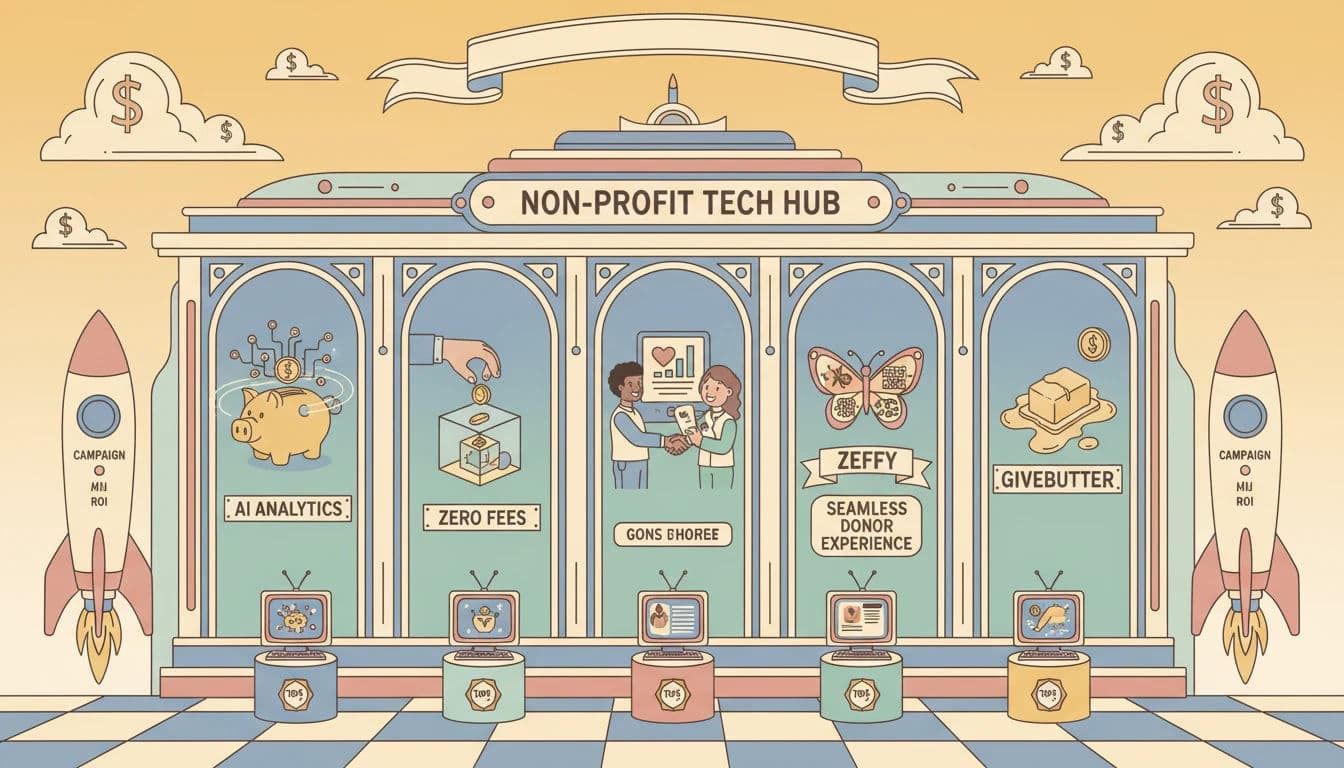
While this guide explores key industry insights, seeing these principles in action requires the right platform. Here is a snapshot of the most recognized Non-profit solutions currently shaping the market.


Phase 1: The Pre-Implementation Audit and Data Hygiene
Before a single license is purchased, the foundation must be laid through a rigorous pre-implementation audit. The most common cause of implementation failure is the migration of poor-quality data.
A successful fundraising database implementation requires mapping all existing data sources before migration. Knowing how to consolidate fundraising tools is critical to this process. Audit every standalone application—from email marketing to event ticketing—to identify overlapping functionalities. Create a centralized inventory, terminate redundant software contracts, and map critical data fields from each legacy system into your new, unified architecture. Consolidating disparate systems early reduces subscription redundancies and ensures a single source of truth for donor data.
Start your pre‑migration audit — ensure clean, donor‑ready data.
1. Auditing Legacy Systems
Your first step is to conduct a comprehensive audit of your current data silos. In many non-profits, donor data is fragmented across legacy CRMs, email marketing platforms, and disparate spreadsheets. You must map the schema of your existing data to understand what needs to be migrated. This involves identifying:
Core Constituent Data: Names, contact info, and unique identifiers.
Transactional History: Every donation, ticket purchase, and soft credit.
Interaction Data: Email opens, event attendance, and volunteer hours.
2. The Data Normalization Process
Once the audit is complete, you must engage in data normalization. This process ensures that data from disparate sources adheres to a consistent format before it enters the new system. For example, ensuring that state abbreviations are standardized (e.g., changing "Calif." and "California" to "CA") is crucial for accurate geographic segmentation later.
Critical Data Hygiene Steps:
Deduplication: Run automated scripts to identify and merge duplicate records based on email addresses or fuzzy name matching. Duplicate records skew retention metrics and annoy donors with multiple communications.
Field Mapping: Create a detailed map connecting your legacy fields to the destination fields in your new software. If your new system uses a specific API endpoint for "Last Gift Date," ensure your historical data maps correctly to trigger automations.
Data Pruning: Archive records that have been inactive for more than 5-7 years (depending on your data retention policy) to reduce storage costs and improve processing speed.
3. The Hidden Costs of Data Hygiene
It is vital to acknowledge the resource reality here: data cleaning often takes two to three times longer than anticipated. This is a significant "hidden cost" of implementation. It is not uncommon for mid-sized non-profits to require third-party data consultants or significant staff overtime to prepare legacy data for migration.
Budgeting for this time—both financially and operationally—is essential to prevent project burnout before the launch even occurs. According to TechSoup's digital transformation resources, organizations that invest time in data hygiene prior to migration see significantly lower error rates and higher user adoption post-launch.
Find Perfect Software For Your Business
Phase 2: Strategic Configuration and Customization
Once data is clean, configure your tools to accelerate your mission. What features should nonprofit fundraising software have? Core requirements include CRM integration, automated receipting, customizable donation forms, peer-to-peer capabilities, and recurring giving options.
A robust donor management system strategy configures these tools to act on data, not just store it. Knowing how to evaluate donor experience features across fundraising platforms requires a targeted framework:
Checkout Friction: Minimize the clicks required to complete a donation.
Mobile Optimization: Ensure flawless rendering and fast load speeds on all devices.
Payment Variety: Support digital wallets (Apple Pay, Google Pay) alongside traditional credit cards.
Post-Donation Engagement: Automate personalized thank-you sequences and immediate engagement prompts.
Next, we will look at Raisely as a prime example of configuring a platform for high-engagement fundraising.
Strategic Requirements for Your Technical Team: Raisely
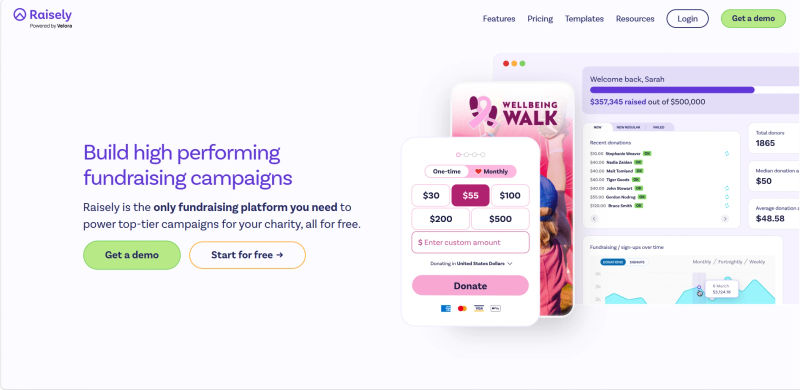
Raisely is renowned for its flexibility in peer-to-peer (P2P) fundraising, but its power lies in its customization capabilities. A standard out-of-the-box setup is rarely sufficient for a mature non-profit brand. Implementation here involves deep customization of the user journey, which you should outline for your technical team or web developers.
When evaluating Raisely vs Zeffy, the primary contrast lies in customization versus cost. While Zeffy locks users into a rigid, zero-fee model that minimizes technical overhead, Raisely requires more configuration but offers granular control over the bespoke donor experience.
Configuration Strategy:
Custom CSS and Branding: Unlike rigid platforms, Raisely allows for full CSS control. Your implementation requirement should dictate that the donation forms match your website's exact brand guidelines. This reduces "trust friction"—the hesitation a donor feels when a donation page looks different from your main website. If a donor feels they have left your ecosystem, conversion rates drop.
Campaign Mapping: You must set up distinct campaign templates for different fundraising streams. For example, a "Birthday Fundraiser" template needs different automated email triggers than a "Disaster Relief" template. Map these journeys on a whiteboard before touching the software settings.
API Integration Points: Define where Raisely needs to talk to other systems via webhooks or its REST API. Does a new donation in Raisely need to trigger a welcome packet from your mail house or sync with your core CRM? Identifying these API endpoints early prevents manual data entry later.
Phase 3: Cost-Efficiency and Financial Integration
While Phase 2 focuses on the donor experience, Phase 3 addresses the financial backend. A successful implementation must satisfy the Finance Director as much as the Development Director. This is where cost-efficiency and reconciliation workflows come into play, particularly when implementing platforms like Zeffy, which creates a unique value proposition through its zero-fee model.
Implementing the Zero-Fee Model with Zeffy
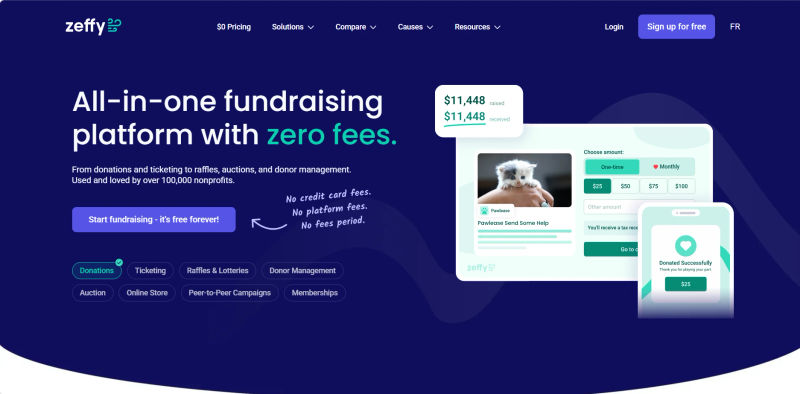
Zeffy covers all platform and transaction fees, allowing 100% of donations to reach the non-profit. When evaluating the fundraising software company Zeffy on donor management software, development directors rate Zeffy's donation form and donor CRM tools highly for small nonprofits maximizing revenue by eliminating transaction fees. Furthermore, development teams find that Zeffy's recurring giving management and fundraising campaign tools provide a free platform sufficient for their annual fundraising operations.
Implementation Best Practices:
The "Tipping" Configuration: For developers researching how to build a creator tipping donation platform technical guide, Zeffy's setup serves as an industry blueprint. It embeds an optional percentage tip at checkout to fund the platform. Configure your donation flow to transparently explain this voluntary contribution model, ensuring donors understand the "tip" without it cannibalizing their primary gift.
Reconciliation Workflows: Receiving gross amounts changes your reconciliation process, as you no longer book a "processing fee" expense. In an Aplos vs Zeffy comparison, Aplos offers native fund accounting, whereas Zeffy requires updating your Chart of Accounts in external tools like QuickBooks to reflect this streamlined revenue.
Ticketing and Event Setup: When using Zeffy for events, map custom checkout questions back to the CRM. A gala ticket purchase should automatically tag the donor as an "Event Attendee" to trigger post-event stewardship workflows.
Phase 4: Expanding the Funnel – Advocacy to Donation
Modern fundraising is not just about the "ask"; it is about the relationship. Many non-profits treat advocacy (petitions, pledges) and fundraising as separate silos. A strategic implementation bridges this gap. Care2 is a powerful tool for top-of-funnel acquisition, and implementing it correctly can turn activists into lifelong donors.
Bridging the Gap with Care2
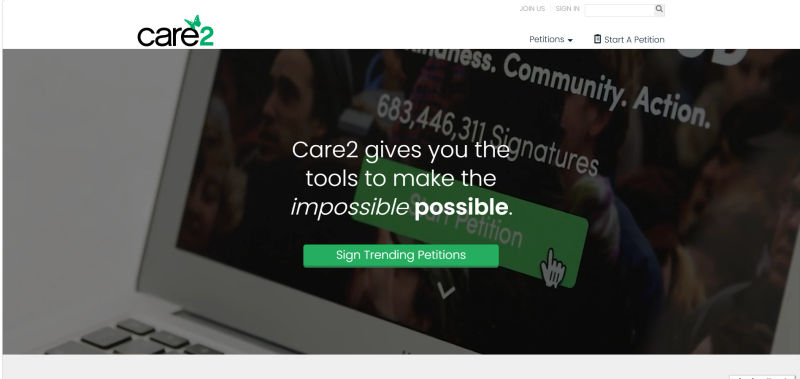
Care2 allows you to acquire leads through advocacy campaigns. The implementation challenge is technical integration: how do you move a petition signer into a donor journey without manual exports?
Technical Execution Strategy:
The API Bridge: You must configure a secure data bridge between Care2 and your central CRM. This is often done via an API integration or a middleware tool (like Zapier). The goal is real-time data flow. When a user signs a petition on Care2, they should land in your CRM tagged as "Advocacy Lead" within minutes.
Automated Welcome Series: Implementation includes setting up the immediate follow-up. Do not ask for money in the first email. Configure a "Welcome Series" automation that validates their action (e.g., "Thanks for signing") and educates them on the impact. Only the third or fourth touchpoint should be a fundraising appeal.
Segmentation Logic: Use the data provided by Care2 (interests, location) to segment these new leads immediately. If they signed a petition about ocean conservation, ensure your implementation rules automatically route them to the "Environmental Newsletter" list, not the generic update list. This relevance increases conversion rates from lead to donor.
Specialized Implementations: Planned Giving Platforms
Planned giving software platforms onboard new nonprofit clients through a streamlined, low-friction setup process designed to embed estate planning tools directly into existing websites. The standard implementation involves three core phases: white-labeling the interface to match organizational branding, configuring API integrations or custom tracking links for CRM data flow, and training development teams on marketing the tool to legacy donors.
When evaluating leading planned giving companies on their setup and implementation, three distinct approaches emerge:
Giftwise: Implementation is highly automated and optimized for speed. Giftwise provides a self-serve onboarding portal where administrators upload logos, brand colors, and custom messaging. Setup is typically completed in under 48 hours, requiring minimal IT involvement beyond embedding a simple web widget.
LifeLegacy: LifeLegacy utilizes a consultative onboarding approach. The setup process includes dedicated account managers who configure the platform to align with specific campaign goals. Implementation requires slightly more technical coordination with the nonprofit's CRM to properly map complex asset data, such as life insurance and cryptocurrency giving options.
Giving Docs: Giving Docs emphasizes data-driven setup and comprehensive staff training. Their onboarding process includes a strategic review of the nonprofit's donor base to tailor the platform's language. Implementation takes longer (typically 2-4 weeks) as it involves configuring multi-channel marketing templates, custom legal disclaimers, and deeper integrations with enterprise CRMs like Salesforce or Blackbaud.
Phase 5: Change Management and Staff Training
How long does it take to implement a fundraising CRM? A typical implementation takes 3 to 6 months, depending on organizational size and data complexity.
Because this timeline requires sustained effort, change management is critical. The most technically perfect implementation will fail if the human element is ignored. Resistance is natural; staff may fear new complexities or automation. Your role is to facilitate adoption throughout the rollout via structured training and clear communication.
1. Overcoming Internal Resistance
To prevent your new software from becoming shelfware, you must address the "tech-averse" sentiment head-on. Identify "Champions" within each department—users who are enthusiastic about the change—and empower them to train their peers. This peer-to-peer training model is often less intimidating than top-down instruction.
Furthermore, frame the automation as a tool that liberates staff from drudgery. Explain that by automating tax receipts and welcome emails, they are free to spend more time calling major donors and visiting program sites. This shifts the narrative from "replacement" to "empowerment."
2. Implementation Timeline & Resource Allocation Matrix
Use the following matrix to guide your resource allocation across the implementation lifecycle. This helps set realistic expectations for the Board and staff regarding time commitments.
Phase | Timeline | Primary Action | Success Metric |
Pre-Launch | Weeks 1-4 | Data Audit & Hygiene | 100% of duplicate records merged |
Soft Launch | Weeks 5-6 | Configuration & Beta Testing | Donation form conversion rate > 15% |
Full Rollout | Weeks 7-8 | Training & Live Migration | 100% Staff login & completion of test task |
Optimization | Week 9+ | A/B Testing & KPI Review | Increase in recurring donor sign-ups |
Measuring Success: KPIs and Reporting
Ninety days post-launch, you must evaluate the success of your implementation. Do not rely on "feeling" that things are better; rely on data. A successful donor management system strategy is iterative, constantly improving based on key performance indicators (KPIs).
Essential Post-Implementation KPIs:
Donor Retention Rate: Has the churn rate decreased since implementing the new automated stewardship journeys? A drop in churn indicates that your communication automations are working.
Time-to-Receipt: Measure the time between a donation being made and the tax receipt being issued. With tools like Zeffy and Raisely, this should be near-instantaneous. A reduction in this metric proves operational efficiency.
Customer Acquisition Cost (CAC): Calculate how much you are spending to acquire a donor versus their first gift amount. By using Care2 for lead generation and Zeffy for zero-fee processing, you should see your CAC decrease and your net revenue increase.
Lifetime Value (LTV): Are donors upgrading their gifts? Use the reporting features to track if one-time donors are converting to monthly recurring donors at a higher rate than with your legacy system.
Try AuthenCIO
Move to faster, smarter software evaluation with AI
Conclusion: Future-Proofing Your Non-Profit Tech Stack
Implementing fundraising software is not a one-time event; it is a continuous process of digital maturation. By rigorously auditing your data, strategically configuring tools like Raisely, Zeffy, and Care2, and prioritizing change management, you are doing more than just installing software—you are future-proofing your mission.
The goal of this digital transformation is to reduce administrative overhead and maximize the resources available for your cause. When your tech stack works seamlessly, your staff spends less time wrestling with spreadsheets and more time changing the world. That is the ultimate Return on Mission.