
Introduction
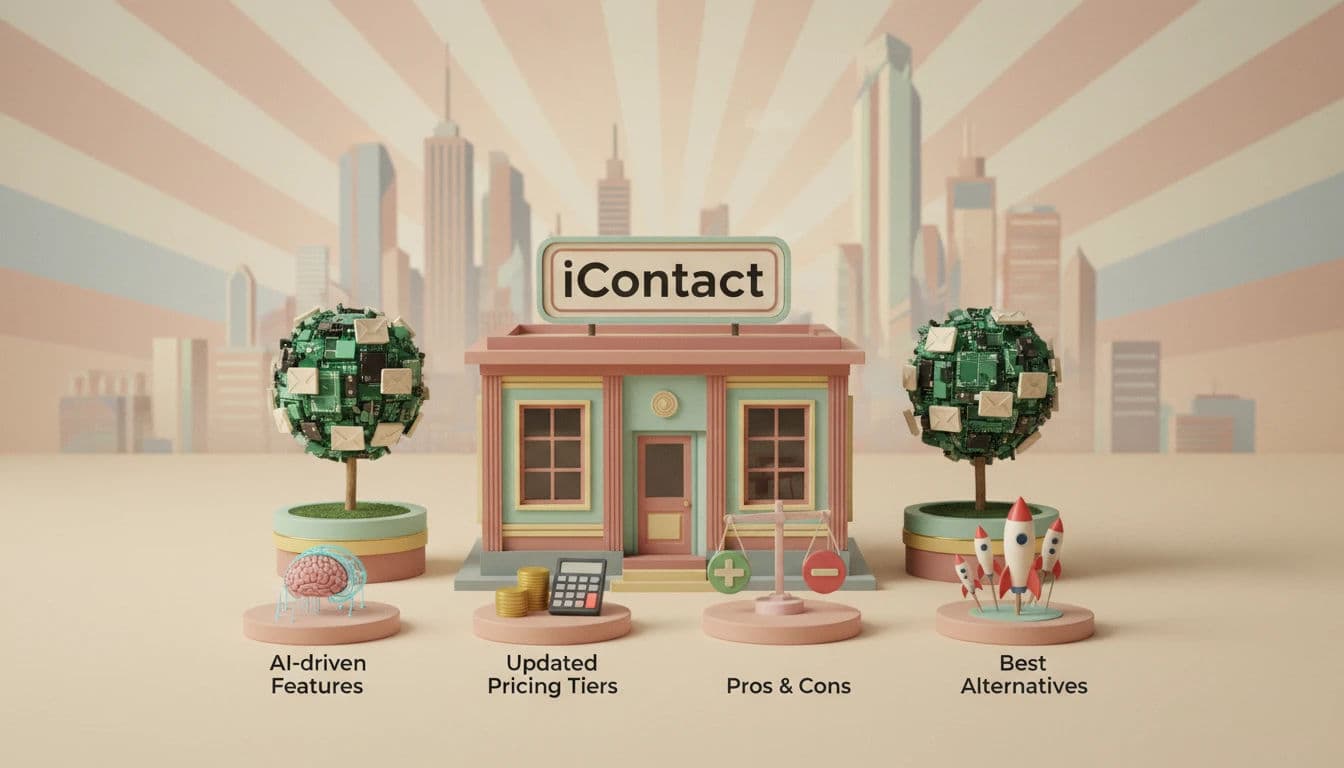
In the algorithmic complexity of 2026, email marketing has transcended simple communication to become the backbone of customer retention. When searching for iContact reviews, marketing managers often ask about cost & features: is this email marketing software worth it?
Streamline your software evaluation process
Today, marketing managers face the rise of AI-driven inbox filtering, strict BIMI (Brand Indicators for Message Identification) adoption requirements, and consumer fatigue that demands hyper-relevance. The tools you choose must offer more than just a "send" button; they require sophisticated deliverability protocols, predictive analytics, and seamless integration with a fragmented marketing technology stack.
For marketing managers at Small to Medium-sized Businesses (SMBs), the challenge is maintaining list hygiene and navigating compliance standards like GDPR and CCPA while executing behavioral triggers that drive genuine engagement. The era of generic blasts is dead. Success now relies on data-driven insights to bypass the promotional tab and land in the primary inbox. This brings us to iContact, a veteran player in the email marketing space that has evolved to meet these modern demands.
As we analyze the viability of this platform in our comprehensive iContact review for 2026, we must look beyond its legacy reputation. Does it offer the robust automation required to scale from 1,000 to 50,000 subscribers? Can it compete with the specialized features of newer entrants? This overview will dissect iContact’s capabilities, scrutinize its pricing structure, and pit it against eight formidable competitors to help you make an informed decision.
Key Takeaways:
Market Position: iContact remains a "workhorse" solution for SMBs prioritizing deliverability and support over complex, enterprise-grade development.
2026 Relevance: New AI-driven features address modern inbox filtering, though automation capabilities lag behind specialized competitors.
Pricing Structure: Tiered pricing is accessible for small lists but requires careful forecasting for lists scaling beyond 10,000 subscribers.
Best For: Marketing managers who need "accessible sophistication"—robust tools without the need for a dedicated coding team.
Top Alternatives: Competitors like Omnisend (e-commerce) and Kartra (all-in-one) offer better niche-specific value in the current landscape.
The Strategic Advantages: Pros of Choosing iContact
1. High Deliverability Focus
One of iContact’s strongest selling points is its dedicated focus on deliverability. Unlike some budget platforms that share IP addresses among thousands of questionable senders, iContact maintains strict compliance standards. They offer tools and guidance to help you authenticate your domain (DKIM/SPF), which is critical for bypassing spam filters in 2026.
2. Accessible Customer Support
For SMBs without a dedicated IT department, support is a feature in itself. iContact is renowned for providing accessible customer service, including phone support on higher tiers. Having a human expert to troubleshoot a broken workflow or a deliverability dip can be the difference between a successful campaign and a wasted budget.
3. Ease of Use
The learning curve is minimal. A marketing manager can onboard a new team member to iContact in a single afternoon. The user interface (UI) is clean, logical, and devoid of unnecessary clutter, allowing teams to focus on strategy rather than navigating a labyrinth of menus.
Ready to compare iContact with other leading email marketing platforms? Try AuthenCIO for free!
Potential Drawbacks: Cons to Consider Before Committing
1. Limited Advanced Automation
While iContact handles standard linear workflows well, it struggles with complex, multi-branching logic compared to power-user tools like ActiveCampaign or HubSpot. In a direct activecampaign vs icontact comparison, ActiveCampaign wins on intricate behavioral scoring. Likewise, when evaluating hubspot vs icontact pro, HubSpot offers superior multi-channel triggers (SMS + Email + Ads). If your strategy relies on these advanced features, iContact's builder is restrictive.
2. Integration Ecosystem Gaps
While iContact integrates with major players like Salesforce, its native integration library is smaller than some competitors. Specifically, it lacks deep native connectivity with 2026-emergent social commerce platforms (like TikTok Shop) and specific niche CRMs often used by startups. You may find yourself relying on middleware like Zapier to connect these tools, which adds an extra layer of cost and complexity to your tech stack.
3. Pricing at Scale
As mentioned, as your list grows from 10,000 to 50,000 subscribers, iContact’s pricing can become steep compared to competitors that offer unlimited sending or flat-rate plans.
Best for: Non‑profits and marketers focused on email campaign reporting via mobile app.
Verdict: A solid email marketing solution for organizations seeking affordable automation and mobile monitoring without SMS features.
.webp?updatedAt=1786993609472&tr=w-800%2Cq-80%2Cf-auto%2Cc-at_max)
Software covered in this article
To help you evaluate iContact in the right context, this article compares it against a carefully curated set of competitors:


What is iContact? Core Value Proposition for Marketing Managers
What is iContact? Originally launched under the legacy name Intellicontact Pro, iContact (officially found at icontact.com) is an email marketing and automation platform designed specifically for high-volume senders and SMBs. It provides a user-centric solution that delivers reliability without the steep learning curve of enterprise-grade software. Unlike complex platforms that require a dedicated developer to operate, iContact focuses on democratizing access to advanced email features. Its core value proposition in 2026 revolves around "accessible sophistication"—providing the technical infrastructure needed for high deliverability rates while maintaining an interface that a lean marketing team can master quickly.
For the marketing manager, iContact promises to alleviate the pain points of manual data entry and disjointed workflows. It bridges the gap between basic newsletter tools and full-scale Customer Relationship Management (CRM) suites.
By emphasizing strong customer support and strategic advisory services, iContact aims to be a partner rather than just a SaaS vendor, helping businesses navigate the technical hurdles of SPF (Sender Policy Framework) and DKIM (DomainKeys Identified Mail) authentication to ensure emails actually land in the primary inbox. This focus on MTA (Mail Transfer Agent) reputation management is critical for businesses that cannot afford to be blacklisted.
Key Features of iContact in 2026
To understand if iContact is the right vehicle for your 2026 marketing strategy, we must look under the hood. The platform has introduced several updates aimed at enhancing user experience and automation capabilities, specifically targeting the efficiency needs of small teams.
1. AI-Powered Optimization and Smart Sending
New for the 2026 landscape, iContact integrates AI-driven tools to eliminate guesswork from campaign performance. The "Smart Sending" feature uses historical engagement data to determine the optimal send time for individual subscribers. This predictive approach maximizes open rates by delivering emails when users are most active.
To improve campaign performance across all teams, iContact provides robust A/B testing and centralized analytics. The platform supports automated multivariate and standard A/B testing for subject lines, pre-header text, and email content. The AI tests multiple variations simultaneously and auto-deploys the winning combination in real-time. These features specifically serve distributed teams through shared, cloud-based analytics dashboards. Remote team members can track engagement metrics, compare test results, and access real-time performance data from any location. This unified visibility reduces the manual burden on marketing managers to hypothesize what copy will convert and ensures all team members can collaboratively optimize campaigns based on a single source of truth.
2. Advanced Marketing Automation and Triggered Messaging
Yes, iContact can segment audiences and automate marketing workflows for distributed teams, though its architecture is optimized for SMBs rather than highly complex enterprise-wide deployments. The platform allows organizations to build non-linear customer journeys using dynamic audience segmentation and behavioral triggers.
For distributed teams managing enterprise-wide workflows, iContact provides multi-user access and shared automation templates, enabling regional or departmental teams to execute standardized campaigns. You can automatically deploy emails based on specific user actions—such as clicking a link, visiting a landing page, or abandoning a cart.
This "if/then" logic nurtures leads without manual intervention. For example, teams can deploy a unified re-engagement workflow that automatically segments subscribers inactive for 90 days, sends a win-back offer, and moves unresponsive users to a suppression list to protect sender reputation. This level of automation ensures consistent messaging at critical touchpoints while scaling efficiently across multiple users.
3. Intuitive Design Tools: Drag-and-Drop Editor Capabilities
Yes, iContact enables email marketing campaigns with drag-and-drop template builder interfaces across distributed teams and enterprise-wide workflows. Time-to-market is critical, and iContact’s editor prioritizes speed with collaborative features like shared asset libraries and role-based access controls. It includes a vast library of mobile-responsive templates, which is non-negotiable given that 42% of all emails are opened on mobile devices. The interface allows granular control over layout without touching HTML code.
Additionally, the platform offers "Smart Content" blocks to dynamically change images or text based on recipient segmentation data. This empowers marketing managers to send a single campaign that personalizes itself for different demographics, streamlining enterprise workflows and saving hours of production time.
4. Data-Driven Insights: Reporting and Analytics Dashboards
Making decisions without data is flying blind. iContact’s analytics dashboard provides real-time visibility into campaign performance. Beyond basic open and click-through rates (CTR), the platform offers heat maps to visualize where users are clicking and device-specific reporting to optimize for mobile vs. desktop.
Crucially, iContact provides engagement tracking over time, helping you spot fatigue in your subscriber base before it leads to mass unsubscribes. The reporting tools also integrate with Google Analytics, allowing you to track the user journey from the email click all the way to the final conversion on your website, providing a clear picture of ROI.
.webp?tr=w-800%2Cq-80%2Cf-auto%2Cc-at_max)
iContact Pricing 2026: Detailed Plan Comparison
When evaluating iContact pricing, understanding the financial commitment is vital for budget-conscious SMBs. iContact’s pricing model in 2026 is tiered based on list size and structured into distinct plans to cater to different business maturity levels. For businesses just starting out, the iContact free tier contact limit is capped at 500 contacts and 2,000 sends per month. Paid plans scale up from there, offering more advanced features and higher sending volumes. It is important to note that "hidden" costs often arise from overage fees if you exceed your sending limits, so selecting the right tier is essential.
The table below outlines the core pricing tiers for a standard list size of 2,500 contacts, which is a common starting point for many growing SMBs.
Plan | Price | Best For | Features |
Standard | $9.00 / mo | Solopreneurs & Startups | Drag & Drop Editor, Welcome Series Automation, Stock Image Library, Standard Reporting, Single User Access, Email Support |
Premium | $16.00 / mo | Growing SMBs | Advanced Automation, Landing Pages, Pop-up Forms, Engagement Segmentation, 3 User Accounts, Priority Support |
Advanced | Custom Pricing | Established Marketing Teams | Smart Sending (AI), Unlimited Users, Custom API Integrations, Dedicated Success Manager, Deliverability Audit, Multivariate Testing |
*Note: All prices shown reflect typical monthly billing. Vendors often offer lower pricing for annual commitments, but those discounts are excluded here for easier comparison. Actual costs may vary depending on your requirements, usage volumes, and negotiated terms.

Pricing Note on Scaling
Marketing managers must be aware of the "cliff" in pricing as lists grow. While the entry-level price for 2,500 contacts is competitive, the cost jumps significantly as you approach the 10,000 subscriber mark. For example, the "Advanced" plan can nearly double in price when moving from 5,000 to 10,000 contacts.
It is crucial to forecast your list growth rate (typically 2% to 6% for e-commerce) to ensure iContact remains cost-effective for your budget in the long term.
Top 8 iContact Alternatives for Small to Medium Businesses
If you need an iContact alternative due to budget constraints or advanced email automation software requirements, the 2026 market provides robust options. We have analyzed the top iContact alternatives for small to medium businesses. Below is a quick comparison matrix and detailed analysis of eight competitors.
1. iContact vs Kartra: The All-in-One Solution
Kartra is not just an email tool; it is a comprehensive business platform. It combines email marketing with landing page builders, checkout forms, video hosting, and membership sites. For an SMB looking to consolidate their entire tech stack into one subscription, Kartra is superior to iContact. Its automation features are deeply integrated with its sales funnel capabilities, allowing for seamless transitions from lead capture to sale. However, the learning curve is steeper, and it may be overkill if you only need email functionality.
2. iContact vs Campaign Monitor by Marigold: Best for Design
If your brand relies heavily on visual aesthetics, Campaign Monitor by Marigold is a top contender. Known for its exquisite templates and designer-friendly interface, it allows for pixel-perfect control that surpasses iContact’s editor. It is particularly popular among agencies and creative brands. While it carries a premium price tag, the visual impact and "Link Review" tools ensure your emails look professional across every device and client, minimizing rendering issues.
3. iContact vs Moosend: Best for Affordability
Moosend is a fierce competitor when it comes to value for money. It offers enterprise-level automation features—such as weather-based triggers and AI product recommendations—at a fraction of the cost of legacy providers. For SMBs on a tight budget who do not want to sacrifice functionality, Moosend is an excellent alternative. Their pricing model is transparent, and the learning curve is comparable to iContact, making it a low-risk switch for cost-conscious managers.
4. iContact vs Campaigner: Best for Advanced Automation
For marketing managers who feel limited by iContact’s workflow builder, Campaigner is the logical step up. It specializes in complex automation workflows and detailed segmentation. Campaigner allows for intricate "if/then" branching and supports high-volume sending with robust API capabilities. It is ideal for businesses that have outgrown basic autoresponders and need to implement sophisticated lifecycle marketing strategies involving recurring revenue models.
5. iContact vs Omnisend Ltd: Best for E-commerce Integration
If you are running an online store on Shopify, BigCommerce, or WooCommerce, Omnisend Ltd is likely a better fit than iContact. Omnisend is built specifically for e-commerce, offering pre-built workflows for cart abandonment, product abandonment, and transactional emails. It also natively integrates SMS marketing, allowing you to run omnichannel campaigns from a single dashboard—a feature that is becoming essential for retail brands in 2026.
6. iContact vs ExpertSender S.A.: Best for High-Volume Sending
ExpertSender S.A. targets a different beast: the high-volume sender. If your SMB sends millions of emails per month, you need infrastructure designed for throughput and deliverability at scale. ExpertSender utilizes dedicated IP addresses and advanced algorithm-based throttling to ensure your messages land in the inbox, not the promo tab. It is a heavy-duty solution for businesses where email is the primary revenue driver and API rate limiting is a concern with standard providers.
7. iContact vs Drip: Best for B2C CRM Capabilities
Drip positions itself as an ECRM (Ecommerce CRM) rather than just an email tool. It excels at gathering deep customer data and using it to personalize communication. Drip allows you to tag and score users based on granular behaviors, such as viewing a specific product category multiple times. For Direct-to-Consumer (DTC) brands looking to build deep relationships with customers, Drip’s segmentation capabilities are far superior to iContact’s standard lists.
8. iContact vs Sender: Best for Startups
Sender is gaining traction in 2026 for its incredibly generous free tier and friction-free user experience. For startups and very small businesses, Sender offers a high-quality interface and essential automation without the cost barrier. It is an excellent entry-point alternative to iContact for those who are just starting to build their list and need a simple, effective tool without the bells and whistles of enterprise software.
iContact vs Mailchimp: Which is Better for Small Businesses?
When comparing Mailchimp vs iContact, Mailchimp is generally better for small businesses seeking an all-in-one marketing platform with extensive third-party integrations, while iContact excels for teams prioritizing hands-on customer support and straightforward, high-deliverability email sending.
Do iContact or Mailchimp excel for small business email marketing campaigns for enterprise revenue teams? While neither platform is natively built for complex, large-scale enterprise revenue operations—where tools like Marketo or Salesforce Account Engagement dominate—Mailchimp is the stronger choice for revenue teams. Mailchimp offers superior CRM capabilities, advanced multi-step automation, and deeper e-commerce tracking to support revenue-driven campaigns. iContact, conversely, remains a simpler tool focused purely on newsletter execution and basic promotional blasts.
Here is how they compare across key operational areas:
Customer Support: iContact provides accessible, personalized customer support (including phone support) even on standard tiers, whereas Mailchimp restricts premium support to its highest-priced plans.
Automation and Integrations: Mailchimp boasts a massive integration ecosystem and advanced behavioral targeting. iContact’s automation is more limited but significantly easier to master for beginners.
Pricing Predictability: Mailchimp’s pricing scales aggressively as your contact list and send volume grow, often making iContact the more predictable and budget-friendly option for growing lists.
Find Perfect Software for Your Business
The SMB Migration Guide: Moving to iContact
Switching email providers is often cited as the biggest barrier to adoption for marketing managers. The fear of data loss or deliverability crashes is valid, but a structured approach can mitigate these risks. If you decide iContact is the right choice, follow this 2026-standard migration protocol.
Step 1: The Data Audit and Cleanse
Before you export a single contact, audit your current lists. Identify your "silent subscribers"—those who haven't opened an email in 6+ months. In 2026, moving these dead contacts to a new platform is detrimental to your MTA reputation. Use your legacy tool to filter these out and only migrate engaged contacts. Ensure all custom fields (e.g., "Purchase Date," "Customer Tier") are clearly defined, as you will need to map these to iContact’s data structure.
Step 2: Export and Mapping
Export your clean lists as CSV files. When importing into iContact, you will be prompted to map your columns. Take the time to ensure your "First Name" triggers the correct personalization tag. This is also the moment to segment your list upon import. Instead of dumping everyone into a "Master List," import them into segments based on their previous engagement or customer status (e.g., "VIP Customers," "Newsletter Only").
Step 3: Technical Authentication
Do not skip this step. Work with iContact’s support or your IT admin to update your DNS records. You must configure SPF (Sender Policy Framework) and DKIM (DomainKeys Identified Mail). In 2026, inbox providers like Gmail and Outlook treat unauthenticated emails as spam by default. This digital handshake proves you are who you say you are.
Step 4: The Warm-Up Phase
If you have a list of over 10,000 contacts, you cannot send to everyone on Day 1. Your new IP address with iContact is "cold" and has no reputation. Sudden spikes in volume trigger spam filters. Implement a warm-up schedule: send to your most engaged 500 contacts on Day 1, 1,000 on Day 2, and double the volume every subsequent day. This gradual increase builds trust with ISPs and ensures high deliverability rates for your full launch.
Implementation and Integration: Connecting Your Tech Stack
Yes, iContact's lead capture and integration tools are designed to grow subscriber lists across the entire organization. By syncing departmental systems—like sales CRMs, e-commerce platforms, and support portals—teams can centralize audience growth. The native iContact lead tool provides customizable sign-up forms and landing pages that embed directly into your company's web assets to capture these cross-departmental leads.
Your email platform must not exist in a silo. While iContact offers an API for custom connections, most SMBs rely on their directory of native integrations to connect their tech stack.
Before committing, ensure your stack allows bi-directional data flow—updating CRM statuses upon unsubscribes, or triggering iContact emails when CRM deal stages change. With B2B email lists growing 0.5% to 2% monthly but facing 15% to 30% annual churn, automated list hygiene via integration keeps your database profitable without manual scrubbing.
Try AuthenCIO
Move to faster, smarter software evaluation with AI
Final Verdict: Is iContact the Right Fit for Your 2026 Strategy?
To conclude this iContact review 2026, the platform remains a solid, reliable choice for SMBs that value simplicity, support, and deliverability over cutting-edge, complex features. It is a "workhorse" platform—steady, dependable, and capable of getting the job done without requiring a degree in data science. If your primary goal is to send newsletters and basic automated sequences to a growing list, iContact provides a safe and effective environment.
However, if your 2026 strategy hinges on omnichannel marketing (SMS + Email), hyper-complex behavioral automation, or deep e-commerce integration, you may find better value in specialized alternatives like Omnisend, Drip, or Campaigner. Ultimately, the "best" tool is the one that your team will actually use to its full potential, and for many, iContact’s balance of power and usability hits the sweet spot.