
Introduction
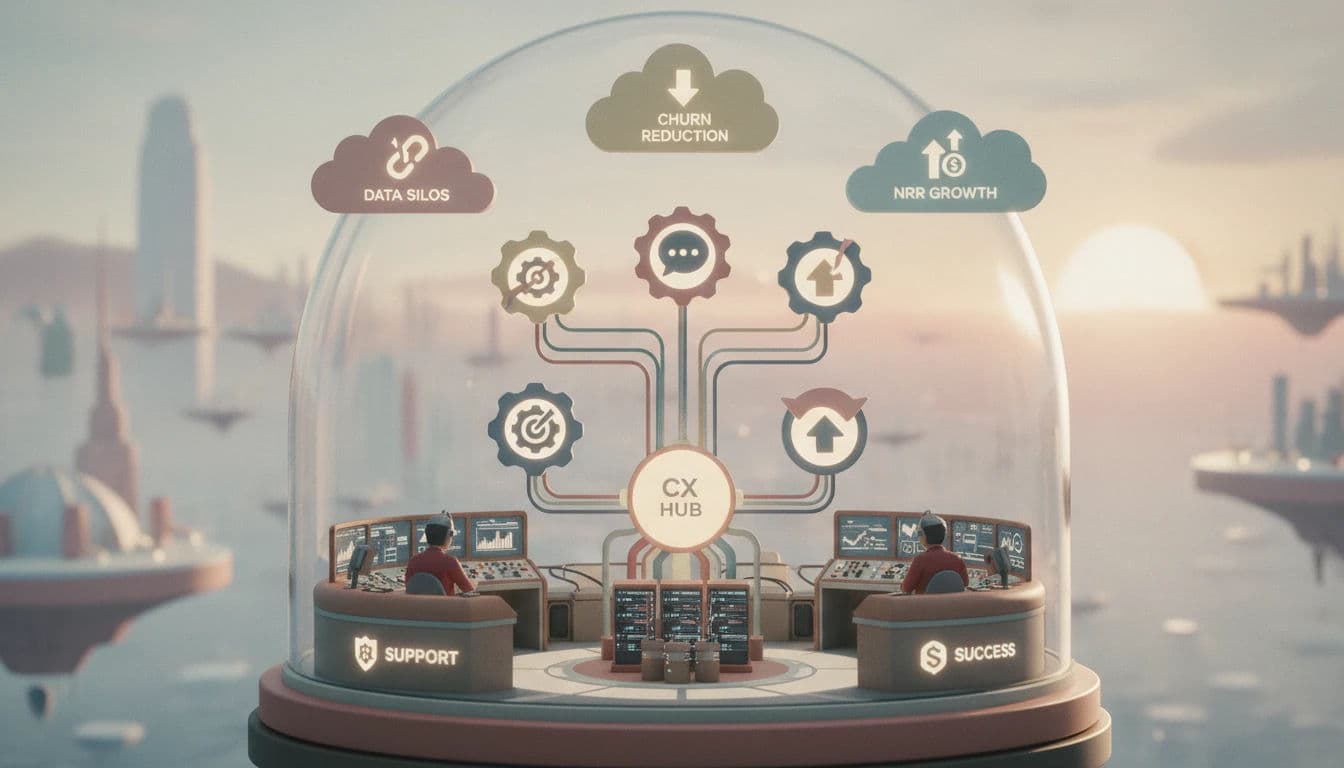
In the high-stakes landscape of 2026, the artificial walls between customer support, product, and customer success have finally crumbled. For Chief Customer Officers (CCOs), managing the entire customer experience requires a unified approach rather than siloed departments where Support reacts to fires, Product builds in a vacuum, and Success attempts to prevent churn. Today, data must flow seamlessly across all three functions to secure Net Revenue Retention (NRR).
Streamline your software evaluation process
However, technology is only the engine; your organizational culture is the fuel. Even the most sophisticated software stack cannot fix broken internal silos if leadership does not prioritize a unified customer journey. But once that alignment is in place, the tools you choose become the critical infrastructure for growth. If your Customer Success Managers (CSMs) are still toggling between tabs to check if a high-value account has an open ticket, you are paying a "Context Switch" tax that your competitors have already eliminated.
If you are a Chief Customer Officer who wants one platform spanning support, product, and success to manage the customer experience, your options fall into two main categories: all-in-one unified platforms (like HubSpot Service Hub or Zendesk) and tightly integrated best-of-breed software combos (like Intercom paired with ClientSuccess). Whether you opt for a single ecosystem or a synchronized stack, the goal remains the same: a single source of truth that empowers proactive retention. This guide explores the best support success software combos 2026 has to offer, helping you choose the right infrastructure to reduce churn and drive expansion.
Key Takeaways
Alignment is revenue-critical: In 2026, separating customer support and success creates costly data silos. Integrating these functions transforms reactive tickets into proactive expansion opportunities.
AI and compliance lead selection criteria: Modern CX teams must prioritize platforms offering bidirectional data sync, native LLM integration, and adherence to 2026 data privacy and sovereign AI standards.
Top-tier platforms bridge the gap: Solutions like HubSpot Service Hub, Zendesk, and Intercom dominate by offering unified workspaces that seamlessly hand off users from support to success.
Operations dictate success: Choosing the right software combo is only half the battle. Establishing automated handoffs, mapping custom fields, and empowering CS Ops are essential for a seamless customer journey.
🏆 Top Software Picks
HubSpot Service Hub — Best for scaling teams wanting an all-in-one CRM, support, and customer success ecosystem.
Zendesk — Best for large enterprises needing powerful, highly customizable support and deep integrations.
Intercom — Best for SaaS and product-led companies focused on AI-powered, real-time in-app customer engagement.
ClientSuccess — Best for dedicated customer success teams needing proactive account management alongside a separate support platform.
Freshdesk — Best for cost-conscious scaling teams wanting strong automation and omnichannel support at a more accessible price point.
Help Scout — Best for mid-market and relationship-focused teams prioritizing personalized, human-centric customer support.
Software covered in this article
This guide evaluates the top software picks for aligning customer experience teams. Whether you need a comprehensive suite of tools for customer success or integrated softcs (success and support software), these six platforms lead the market:





.webp?tr=w-112%2Cq-80%2Cf-auto%2Cc-at_max)
Why Support and Success Alignment is Non-Negotiable in 2026
The evolution of the customer journey has forced a convergence of roles. In 2026, customers do not care which department they are speaking to; they only care that the person on the other end understands their history, context, and value to the company. When support and success tools are disconnected, the customer experience fragments, leading to preventable churn.
1. The Cost of Data Silos
Consider the scenario of a "Green" health-score customer who suddenly encounters a critical bug. They file a ticket. If that ticket data doesn't immediately impact the health score in the CSM's dashboard, the CSM might reach out with an upsell email just as the customer is venting frustration to a support agent. This tone-deaf interaction is a primary driver of preventable churn. In a unified stack, that support ticket would immediately freeze any automated marketing or sales outreach.
2. Revenue Engineering via Workflow
Alignment is about revenue engineering. Integrated stacks enable automation that directly impacts the bottom line:
Risk Mitigation: A high-priority ticket downgrades a health score. The best renewal workflows plus risk mitigation for customer success software ecosystems instantly trigger CSM intervention to secure the account.
Expansion Signals: Support queries about premium features are buying signals. The top-rated upsell and account expansion orchestration in customer success software automatically routes these alerts to sales. Finding the best upsell and account expansion orchestration features among customer success software ensures you capitalize on these moments.
Unified Reporting: Executives view "Time to Resolution" alongside "Renewal Rate" to track how support efficiency drives revenue.
3. The PLG Factor: Self-Service as a Lead Source
In 2026, Product-Led Growth (PLG) has blurred the lines further. Many enterprise contracts start as self-service users who rely solely on support documentation or chatbots. A unified system tracks these "support" interactions and flags high-intensity users to the Success team as qualified leads. If a free user visits your API documentation five times in one day, your Success software should alert a CSM to reach out, converting a support interaction into a sales conversation.
Key Selection Criteria for CX Managers
Before evaluating tools, leaders need a framework for selection. To answer "which help centre software is right for my business?" and identify the best customer success solutions for scaling teams 2025 and 2026, prioritize operational efficiency and unifying siloed data for a 360-degree customer view.
Today's criteria demand deep integration, AI automation to prevent agent collision, and reporting to prove team value. Whether seeking hoch bewertete tools zur verbesserung der helpdesk-workflows, beste software für kundenorientierte supportzentren, or meilleur logiciel pour les centres de support destinés aux clients, your platform must streamline omnichannel requests, manage costs, and boost CSAT to prevent churn.
1. Bidirectional Data Sync
It is not enough for a success tool to merely "read" tickets. The best customer success software offers deep integration capabilities for your existing tech stack, ensuring bidirectional data flow. This eliminates agent collision, centralizes omnichannel interactions, and breaks down knowledge silos.
When evaluating qui offre les meilleures intégrations avec les logiciels de ticketing ? (who offers the best integrations with ticketing software), prioritize platforms allowing CSMs to escalate issues directly. Bidirectional sync is also critical for usage-based pricing models; syncing real-time product consumption data helps teams automate tier upgrade alerts, accelerate response times, and generate reporting that proves your team's value.
2. Automation and Playbooks
Look for platforms that support "if this, then that" logic across departments. You need the ability to build Success Playbooks that are triggered by Support ticket trends. For example, if a client logs three tickets in a week regarding the same feature, the system should automatically assign a "Training Intervention" playbook to the CSM.
3. AI and LLM Integration
By 2026, AI is standard. However, the differentiator is how the AI uses cross-platform data. Does the AI draft support responses based on the customer's renewal date and health score? Does it summarize support history for the CSM before a QBR (Quarterly Business Review)? Future-proofing your stack means selecting tools where AI enhances the relationship, not just the transaction.
4. Time to Value (TTV) and Migration Ease
Enterprise software implementations that take nine months are a relic of the past. In 2026, agility is paramount. You must evaluate how quickly a new combo can be deployed. Does the platform offer pre-built connectors (native integrations) that work out of the box, or will you need to hire a developer to build custom API endpoints? A lower TTV means you start saving churn faster.
5. 2026 Data Privacy & Sovereign AI Compliance
With the tightening of global data regulations (GDPR, CCPA, and their 2026 successors), where your data lives matters. When connecting two platforms, you increase your surface area for risk. Ensure both vendors in your combo offer "Sovereign AI" options, guaranteeing that your proprietary customer data is not used to train public models. Security reviews should focus heavily on how data is encrypted in transit between the support and success platforms.
The CX Manager’s 10-Point Evaluation Checklist
Before signing any contract, run your potential software combination through this checklist to ensure it can handle the demands of a modern CX operation.
Native Integration Depth: Does the integration rely on third-party connectors (like Zapier), or is it native? Native integrations are generally more stable and secure.
Field Mapping Flexibility: Can you map custom fields (e.g., "Plan Tier") bidirectionally, or are you limited to standard fields like Name and Email?
API Rate Limits: Will the sync break if you update 10,000 customer records at once? Check the API call limits for both tools.
Mobile Parity: Can your CSMs access the full 360-degree customer view (including support tickets) from their mobile devices?
Unified Search: Can a user search for a customer name and see results from both the Support ticketing system and the Success platform in one view?
Sandbox Environment: Do both vendors provide a staging environment where you can test workflows without risking real customer data?
SSO and Identity Management: Do both tools support your corporate Single Sign-On (SSO) provider for seamless agent access?
Historical Data Import: How easy is it to import the last 3 years of ticket history into the new Success platform?
Reporting Granularity: Can you build a single dashboard that correlates Ticket Volume (Support) with Net Promoter Score (Success)?
Vendor Viability: Are both companies financially stable and investing in their partnership ecosystem?
Calculating Total Cost of Ownership (TCO) in 2026
The sticker price on the website is rarely what you end up paying. To accurately budget for a best-in-class stack, you must calculate the Total Cost of Ownership (TCO). In 2026, several hidden costs can inflate your budget if ignored.
Implementation & Onboarding Fees: Many enterprise platforms charge a mandatory one-time fee ranging from $5,000 to $50,000 for setup. Always ask if this can be waived or spread over the contract term.
The "Integration Maintenance" Tax: If you choose a "Best-of-Breed" stack that requires custom API work, budget for internal engineering hours or external consultants to maintain that connection when APIs change.
AI Consumption Costs: Tools like Intercom’s Fin or Zendesk’s Advanced AI often operate on a consumption model (cost per resolution or token). These variable costs can spike unexpectedly during high-volume periods.
Seat Minimums and Add-ons: Be wary of contracts that require a minimum number of seats for "Pro" features. Additionally, features like "Sandbox Access" or "Advanced Reporting" are often sold as paid add-ons rather than core features.
Find Perfect Software For Your Business
Top 6 Software Solutions for Integrated CX Teams
The following list curates the top performers in the market for 2026. We have categorized them by their primary strength, whether they act as an all-in-one powerhouse or a specialized component of a best-of-breed stack.
1. HubSpot Service Hub: Data-Driven CX via Unified CRM
Best For: Scaling companies seeking an All-in-One "Single Source of Truth."
HubSpot continues to dominate in 2026 by removing the concept of integration entirely. Because Service Hub sits on top of the HubSpot CRM, there is no data transfer lag between Sales, Support, and Success. Every interaction is logged on the same contact record, providing unmatched visibility.

The Support/Success Workflow: HubSpot allows you to build custom pipelines for both tickets (Support) and renewals (Success). A CSM can view a "Ticket Pipeline" directly on their dashboard. More importantly, HubSpot's workflow automation is unrivaled. You can set properties that calculate a custom "Health Score" based on ticket volume, last login date (via tracking code), and survey results (NPS/CSAT), all native to the platform.
Key Advantage: The "Custom Objects" feature allows sophisticated enterprises to map complex data structures—like subscriptions or physical assets—directly to customer profiles. This makes it easy for support agents to see exactly what products a customer owns without leaving the ticket window, significantly reducing resolution time.
2. Zendesk: The Enterprise Standard for Unified CX
Best For: Enterprise teams requiring robust, highly customizable support ticketing paired with powerful integrations.
If you are evaluating what’s the best cross-team collaboration platform for customer success in customer success software environments, Zendesk is the industry standard. It excels at bridging the gap between support agents, customer success managers (CSMs), and product teams.
Zendesk remains the heavyweight champion of pure-play support. However, in 2026, its value lies in its open API and the "Sunshine" platform, which allows it to act as the central nervous system for CX. While Zendesk has its own sales and success modules, it is most frequently the "Support" half of a powerful combo (often paired with ClientSuccess or Gainsight).

The Support/Success Workflow: Zendesk’s "Side Conversations" feature drives its cross-team collaboration capabilities, allowing support agents to collaborate with CSMs via Slack or email without leaving the ticket. For success teams, Zendesk provides deep analytics into "Ticket deflection" and "Self-service usage," metrics that CSMs use to drive product adoption discussions. When integrated with a dedicated CS tool, Zendesk pushes ticket granularity—severity, tags, and sentiment—to help build accurate health scores.
TCO Note: Be mindful of Zendesk's pricing structure. The base license is just the start; advanced AI features, sandbox environments, and certain integrations often require upgrading to higher tiers or purchasing add-ons, which can complicate TCO calculations.
3. Intercom: Real-Time Engagement Across the Customer Journey
Best For: SaaS companies prioritizing in-app engagement and product-led growth (PLG).
Intercom has evolved from a chat widget into a full-lifecycle communication platform. For PLG companies where the "product is the venue," Intercom offers the tightest loop between user behavior and support/success intervention. Its AI agent, Fin, handles a massive volume of L1 support, freeing up humans for high-value success work.

The Support/Success Workflow: Intercom excels at "Proactive Support." Instead of waiting for a ticket, Intercom tracks user rage clicks or confusion and triggers a message from the CSM: "I see you're having trouble with the export feature—here is a quick guide." This blurs the line between support and success perfectly. The Inbox is shared, meaning a support rep can hand off a conversation to a CSM seamlessly if the query turns into a commercial discussion.
Budget Consideration: Intercom’s pricing for AI features like Fin is often resolution-based. While this deflects tickets effectively, high-growth companies must model these variable costs carefully to avoid budget surprises.
4. ClientSuccess: Proactive Management for High-Growth Teams
Best For: The "Success" half of a Best-of-Breed combo (Pairs excellently with Zendesk or Freshdesk).
ClientSuccess is a dedicated Customer Success Management (CSM) platform that excels as onboarding software with the best CRM and helpdesk integrations for customer success workflows. It does not try to be a help desk or a standalone CRM; instead, it aggregates data from tools like Salesforce, HubSpot, Zendesk, and Freshdesk to give CSMs a centralized cockpit for managing their portfolio. In 2026, its bidirectional sync capabilities ensure that onboarding milestones and health scores are visible across all integrated platforms.

The Support/Success Workflow: ClientSuccess pulls CRM account details and helpdesk ticket data to visualize the "Pulse" of the customer. It doesn't just show ticket counts; it analyzes the nature of the tickets. If a customer logs a ticket tagged "Bug" during their critical onboarding phase (a major churn risk), ClientSuccess alerts the CSM immediately via Slack or email. It allows the CSM to see the full support conversation history within the ClientSuccess UI, eliminating the need to buy a Zendesk seat for every CSM while keeping sales and support teams perfectly aligned.
5. Help Scout: Human-Centric Support for Success-Driven Teams
Best For: Mid-market and B-Corp companies prioritizing relationships over ticket volume.
Help Scout is a shared inbox tool that treats tickets like personal conversations, hiding ticket numbers from customers. For teams where Support and Success overlap, it is an ideal solution because it natively supports customer success workflows like watchers, VIP customer views, and renewal tracking directly within the inbox.
.webp?updatedAt=1786993291439&tr=w-800%2Cq-80%2Cf-auto%2Cc-at_max)
The Support/Success Workflow: Help Scout's "Customer Properties" store success data (Plan Type, ARR, Renewal Date) right in the email sidebar. This lets teams build custom VIP customer views to prioritize high-value accounts and automate renewal tracking. The "watchers" feature allows Customer Success Managers to follow specific conversations without taking ownership, keeping them informed on critical account issues. Its seamless integration with HubSpot or Salesforce creates a powerful combo where Help Scout handles the shared inbox communication, and the CRM manages commercial data.
6. Freshdesk: Scalable Automation for Support and Success
Best For: Cost-conscious scaling teams needing an ecosystem approach (Freshworks).
Freshdesk is part of the Freshworks suite (including Freshsuccess). It offers enterprise-grade features at a more accessible price point than Zendesk. In 2026, their AI, "Freddy," has matured to offer predictive analytics that bridge support and success.

The Support/Success Workflow: Freshdesk’s "Parent-Child" ticketing is a boon for Success teams managing complex accounts. If a server outage affects 50 users at one client, Support can link all tickets to one "Parent" incident. The CSM can then monitor just that one parent ticket to update the stakeholder, rather than tracking 50 individual complaints. When combined with Freshsuccess, the data fluidity rivals HubSpot, offering a 360-degree view of account health.
2026 Software Comparison: Pricing, Best Use Cases, and Features
To help you visualize the investment required, we have compiled the pricing and feature sets for the top tiers recommended for serious CX teams. Note that pricing reflects the estimated 2026 market rates for "Pro" or "Enterprise" levels where the necessary integration features usually live.
Plan | Price | Best For | Features |
HubSpot Service Hub (Enterprise) | Starting at $90 / mo / seat (billed annually) | Scaling to Enterprise teams wanting All-in-One | • Custom Objects & Advanced Reporting |
Zendesk (Suite Pro) | $115 / agent / mo | Large Enterprises needing robust ticketing | • Sunshine Conversation Platform |
Intercom (Expert) | ~$132 / mo / seat | SaaS & Product-Led Growth (PLG) | • Fin AI Agent (Resolution Bot) |
ClientSuccess (Growth) | Custom Pricing | Dedicated CS Teams (paired with Support tool) | • SuccessScore™ (Health Scoring) |
Help Scout (Plus) | $45 / user / mo | Mid-market & Relationship-focused teams | • Custom Fields & Properties |
Freshdesk (Pro) | ~$59 / agent / mo | Cost-efficient Scaling & Omni-channel | • Round-robin Routing |
*Note: All prices shown reflect typical monthly billing. Vendors often offer lower pricing for annual commitments, but those discounts are excluded here for easier comparison. Actual costs may vary depending on your requirements, usage volumes, and negotiated terms.
How to Build a Seamless Workflow Between Support and Success
Selecting the software is only step one. The magic happens in the implementation. To truly solve the "fragmented customer experience" pain point and master customer lifecycle management, you must design workflows that force collaboration.
1. Mapping Custom Fields and the Data Dictionary
Data consistency is king. If your Support tool calls a field "Industry" and your Success tool calls it "Vertical," automation will break. Before turning on any integration, create a shared Data Dictionary.
Audit: List every field used in Support and Success.
Standardize: Agree on naming conventions (e.g., "ARR_Amount" vs. "Contract_Value").
Map: Ensure that critical fields—Account Tier, Renewal Date, ARR, and Technical Environment—are mapped identically across both platforms. This ensures that when a Support Agent looks at a ticket, they see the exact same "Account Tier" that the CSM sees.
2. Automated Handoffs and Alerts
The handoff between Sales to Success, and Support to Success, is where information is lost. In 2026, you should automate this to prevent "context switching" fatigue.
Scenario: A support agent resolves a complex technical issue.
Workflow: The agent tags the ticket "Resolved - Complex."
Automation: This tag triggers an alert in the Success platform (e.g., ClientSuccess or HubSpot) for the CSM to follow up in 3 days to ensure the solution held. This proactive touchpoint proves to the customer that you care about the outcome, not just closing the ticket.
3. The Emerging Role of CS Ops
Maintaining complex workflows is no longer a side-job for a CSM. In 2026, successful teams employ "CS Ops" specialists to bridge technical infrastructure and customer outcomes. This role represents the critical intersection of IT and customer success orchestration. These professionals own the tech stack, manage API connectors, and ensure Data Dictionary accuracy. By aligning IT protocols with customer journey mapping, CS Ops orchestrates seamless data flows and automated playbooks. Hiring a dedicated Ops person to manage your software combo is often a higher ROI investment than adding a junior CSM, as their technical orchestration multiplies team efficiency.
4. The "Best-of-Breed" vs. "All-in-One" Decision
This is the strategic fork in the road.
All-in-One (e.g., HubSpot): Reduces technical debt and implementation time. It is generally cheaper in terms of Total Cost of Ownership (TCO) because you aren't paying for API connectors or middleware. However, you may sacrifice depth in specific areas (e.g., HubSpot's ticketing is less granular than Zendesk's).
Best-of-Breed (e.g., Zendesk + ClientSuccess): Gives each team the absolute best tool for their specific job. Support gets deep ticketing power; Success gets deep portfolio management. The trade-off is higher complexity in maintaining the integration and potentially higher costs. @@b15@@
Try AuthenCIO
Move to faster, smarter software evaluation with AI
Conclusion: Future-Proofing Your Customer Experience Strategy
As we move deeper into 2026, the companies that win will be those that view Support and Success not as separate departments, but as a unified revenue engine. The software combos outlined above—whether the robust ecosystem of HubSpot, the specialized power of ClientSuccess paired with Zendesk, or the agility of Help Scout—are the tools that make this unity possible.
Your choice should ultimately be dictated by your team's maturity, your budget, and your customer's needs. Do you need the raw power of enterprise ticketing, or the seamless flow of a unified CRM? Whichever path you choose, ensure that your stack eliminates the blind spots that lead to churn.
Your First Step: Tomorrow, audit your current customer data. Ask yourself: "Does my support agent know when a customer's renewal is due without opening a new tab?" If the answer is no, it is time to upgrade your stack.
By integrating these workflows, you empower your team to stop reacting to problems and start engineering success.